


When you walk into a shop you will see that machines are really smart these days.. The way people are trained to use them has not changed much. You will still see big books sitting on shelves. New employees will still follow someone around for two weeks before they can use the machines.. People still use a big spreadsheet to keep track of who is certified to do what but only one person knows how to update it.
There is a kind of computer program called a manufacturing LMS that can help with this problem. It is designed to teach, certify and keep track of the people who work on the production line, not the ones who sit at a desk. This program is becoming very important for the way factories work, like the machines themselves.
This guide will tell you everything you need to know about a manufacturing LMS. You will learn what it is, why factories are starting to use them, what features are important, which rules they follow and how to pick one and start using it without wasting time and money. A manufacturing LMS is a type of software that helps with training and certifications. It is really useful for factories.
What Is a Manufacturing LMS?
A manufacturing Learning Management System is a training platform that is made for factories and places where things are made. It helps with employee training, safety lessons and making sure people know how to use equipment. It also teaches people the way of doing things and keeps track of rules and laws for workers who are on the floor working different shifts and may speak different languages.
This kind of system is different from training tools used in offices. A manufacturing Learning Management System is designed for the way things really work in a factory. This means it can handle things like workers being on schedules, loud noises, shared computers and not having desks to work at. It also has to deal with checks to make sure everything is being done correctly.
You can think of it like a system that gets your workforce ready, rather than just a collection of courses. It shows you who has been trained, who has permission to use equipment, who is running behind and who is allowed to use which machine at any given time.
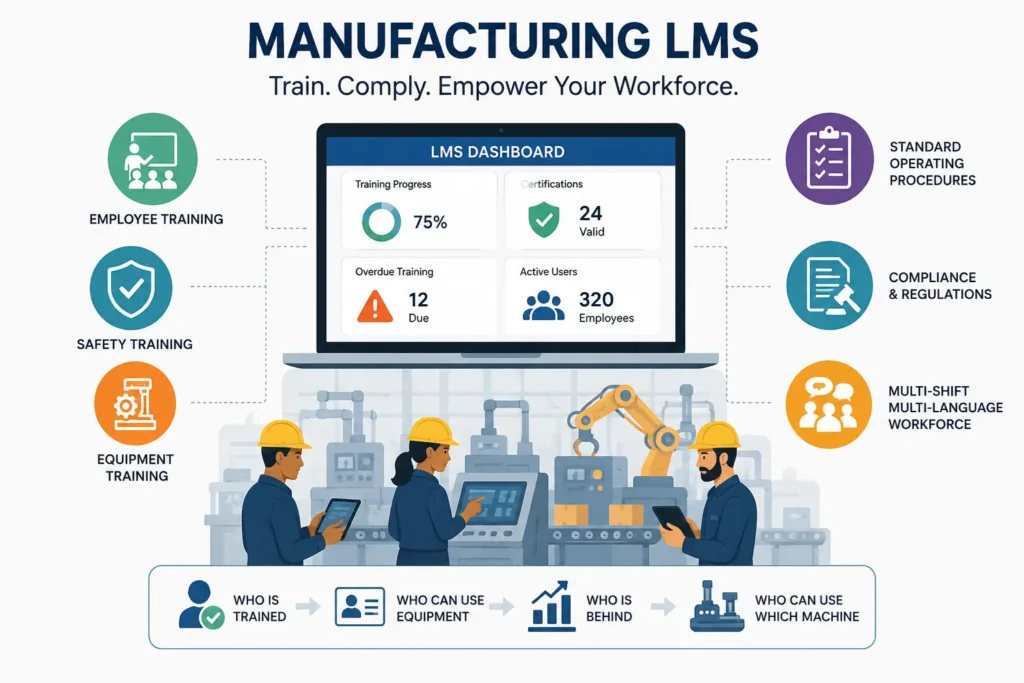
How It Differs from a Traditional LMS
A traditional LMS (the kind used in corporate offices or universities) is optimized for self-paced e-learning consumed at a desk. A manufacturing LMS is optimized for hands-on, floor-level learning that has to survive gloves, safety glasses, spotty Wi-Fi, and a 20-minute lunch break.
Practically, that means manufacturing LMS platforms lean heavily on mobile and offline access, QR-code-triggered training, skills matrices tied to specific machines, and tight integration with quality and compliance systems. A general-purpose LMS usually can’t do any of that out of the box, it wasn’t built for it. For a broader definition of the category, overview of learning management systems is a useful starting point before narrowing into the manufacturing-specific use case.
Why Manufacturing Requires Specialized Learning Software
Manufacturing is not any other industry when it comes to training. The training in manufacturing is very important because if it is not done properly it can cause someone to get hurt or a product to be recalled or the company can even fail an audit. This is a deal and it is very different from other industries like a marketing agency, where if someone misses a training session it is not as serious.
When you think about manufacturing you have to consider that there are people working at different times in different places and, with old equipment that is hard to use safely. The people working in manufacturing may also speak languages, which can make things even more complicated. This is why regular training software does not work well for manufacturing. A manufacturing training system is specifically designed to handle all of these things and it can do so without causing any problems even when the company is very large.
Why Manufacturing Companies Need an LMS
1. Workforce Challenges
Manufacturing workplaces have changed a lot over the twenty years. The people who have been doing these jobs for a time are retiring. Younger workers are coming in. They want to use computers and other digital tools to do their work. Plants are also hiring workers to help out when they need to make more things.
A training system like an LMS is really helpful because it gives plants a way to teach all of these different workers what they need to know quickly no matter what their experience is or how long they will be working at the plant. The manufacturing plants can use an LMS to get all of the workers up to speed including the operators and the younger workers and the temporary workers.
2. Safety Requirements
Safety training isn’t optional in manufacturing, it’s the baseline. Machine guarding, lockout/tagout, PPE use, and hazard communication all require documented, repeatable training that holds up under scrutiny.
A manufacturing LMS keeps a timestamped, auditable record of who was trained on what, and when, which matters enormously the day an inspector or worse, an incident investigator asks for proof.
3. Compliance Complexity
Manufacturers often answer to multiple regulatory bodies at once: OSHA for workplace safety, the FDA for food or pharma production, ISO for quality and environmental management, and sometimes customer-specific audit requirements layered on top.
Manually tracking all of that across hundreds or thousands of employees is close to impossible without software built for it.
4. Skills Shortages
The manufacturing skills gap is a well-documented industry concern, frequently discussed in workforce development circles and on professional forums, where plant leaders regularly compare notes on hiring and upskilling struggles. An LMS won’t manufacture new talent out of thin air, but it does let plants train up existing and new hires faster, closing the gap between “hired” and “fully productive.”
5. High Employee Turnover
Frontline manufacturing turnover is usually higher than the turnover for office jobs. When someone leaves we have to start the training process over again for the new person. This can be a problem if we are relying on one person to do all the training because their schedule can get in the way.
A learning management system makes the training process the same for everyone so we do not have to depend on one person to do the training or remember how to do it. This way the training process for frontline manufacturing jobs is not stopped when one person is not available.
6. Multi-Location Operations
Plants that work in different places have a problem. The problem is that something learned at one plant may not be the same at another plant. For example if someone gets a certificate at Plant A does that certificate mean the thing at Plant B? Are they even teaching people the procedures at both plants?
A centralized system for training people who work in manufacturing can help with this problem. This system keeps all the information about training, certificates and following rules in one place. It is easy to see all of this information from one screen no matter where the plant is located. The manufacturing training system makes sure that everything is consistent, at every plant.
Manufacturing Training Challenges an LMS Solves
1. Inconsistent Training
When training depends on which supervisor’s working the quality can be really different.
A Learning Management System or LMS helps to make sure the training content is the same for everyone.This way every employee gets the instruction no matter if they work during the day or at night or if they are at Plant A or Plant C.
An LMS makes training fair and consistent across all shifts and plants. Every employee day shift or night shift, in Plant A or Plant C gets the instruction.
2. Paper-Based Processes
I do not like using paper sign-in sheets and binder-based SOPs because they are really slow to update and it is easy to lose them. I think digital training records are a lot better because they are easy to search though they have timestamps. You cannot misplace them before an audit, which is great when you are using digital training records. Digital training records are very helpful.
3. Certification Tracking
Forklift certifications expire. Confined space training needs renewal. Without automated tracking, expired certifications slip through unnoticed, often until something goes wrong.
4. Production Downtime
Every hour an operator spends off the line for training is an hour of lost output. Microlearning and mobile access let workers train in short bursts between shifts or during changeovers instead of pulling a full day off the floor.
5. Knowledge Retention
When a 25-year veteran retires, their know-how often walks out the door with them. Recording SOPs, digital work instructions, and expert walkthroughs inside an LMS captures that institutional knowledge before it’s lost.
6. Language Barriers
Lots of people who work on plant floors speak languages. If we only give them training in English they might not understand it. This is a deal when we are talking about machine safety. So we need to make sure our training is in languages. Multilingual LMS content is a way to do this. It helps make sure everyone understands the training, about machine safety. Machine safety is very important. We should make sure everyone knows about it.
Benefits of a Manufacturing LMS
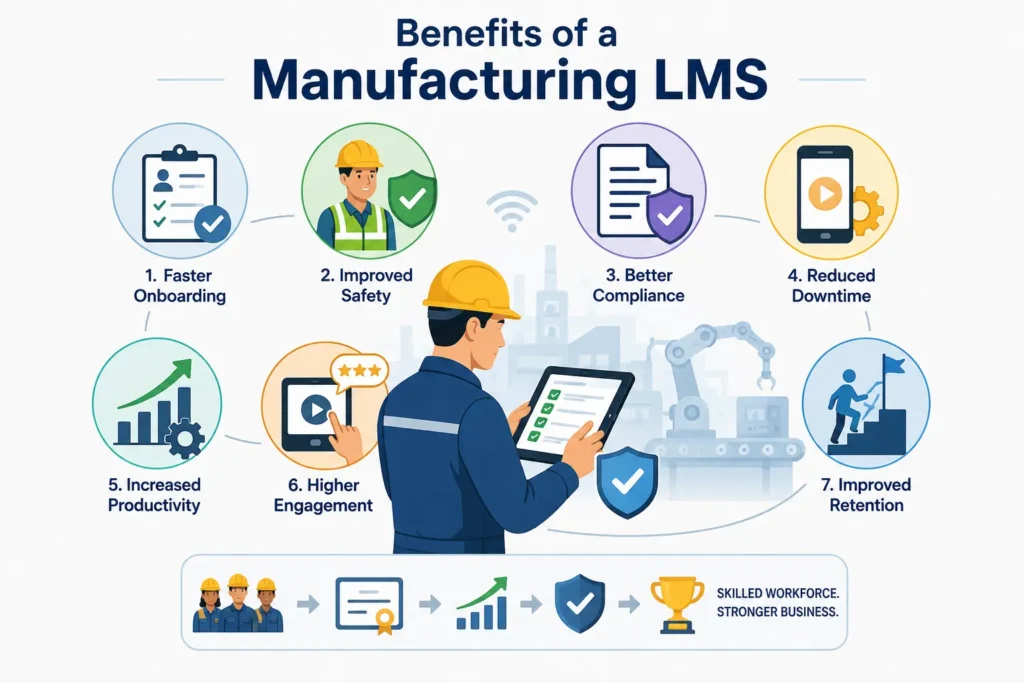
1. Faster Employee Onboarding
Structured, self-paced onboarding paths get new hires to full productivity faster than ad hoc shadowing, and free up experienced staff from constantly repeating the same orientation.
2. Improved Safety
Consistent, tracked safety training reduces the chances that a worker operates equipment they were never properly certified on.
3. Better Compliance
Automated records mean audits become a matter of pulling a report, not scrambling to reconstruct history from memory and paperwork.
4. Reduced Downtime
Bite-sized, mobile-friendly training reduces the need to pull workers fully off the line, keeping production moving while learning still happens.
5. Increased Productivity
Workers who are properly trained on equipment and SOPs make fewer errors and need less rework, a direct line from training quality to output quality.
6. Higher Employee Engagement
Interactive, mobile-first training feels far more respectful of a worker’s time than a dense binder, which tends to translate into better participation and completion rates.
7. Improved Retention
Employees who feel invested in, through clear growth paths and skill development are more likely to stay. Turnover is expensive; visible career pathing is a low-cost way to counter it.
Key Features to Look For
Mobile Learning
Plant workers do not usually sit at a desk. They can use a tablet at their workstation or a phone during a break to train. It does not matter where they are mobile access lets them train.
Offline Learning
A lot of plant floors have areas where you can not get a signal. When you use learning management system apps that can work offline they will update your progress soon as you are connected to the internet again.
This way you can keep doing your training of having to stop because you are in a dead zone, on the plant floor.
Skills Matrix
A skills matrix maps every employee against every required competency, instantly showing who’s qualified for which machine or task and where the gaps are.
Competency Management
Beyond a simple pass/fail course, competency management verifies that a worker can actually perform a task correctly, often through hands-on sign-off, not just a quiz.
Learning Paths
Structured learning paths sequence training logically safety basics before machine-specific certification, for example so nothing gets skipped.
Certification Tracking
Automatic expiration alerts and renewal reminders keep certifications current without relying on someone remembering a spreadsheet.
Compliance Automation
Automated reporting, audit trails, and reminders reduce the manual burden of staying inspection-ready year-round.
Reporting Dashboards
Real-time dashboards give plant managers and HR a clear view of training completion, compliance status, and skill gaps at a glance.
Assessments
Built-in quizzes and practical assessments confirm that training actually stuck, rather than just that a video was played.
Microlearning
Short, focused lessons (five minutes or less) fit naturally into breaks and changeovers, and tend to be retained better than hour-long sessions.
AI-Powered Learning
Newer platforms use AI to recommend personalized learning paths, flag at-risk skill gaps, and even generate quiz questions from existing SOP documents.
Multilingual Support
Auto-translation and multilingual content libraries make sure language isn’t a barrier to safety or quality training.
QR Code Learning
Scanning a QR code at a machine can instantly pull up the relevant SOP, video, or safety reminder, training delivered exactly where and when it’s needed.
Digital Work Instructions
Interactive, step-by-step digital instructions (often with images or video) replace static paper SOPs and are far easier to keep updated.
Types of Manufacturing Training Supported
Safety Training
Covers PPE, lockout/tagout, hazard communication, and emergency procedures, the non-negotiable foundation of plant training.
Equipment Training
Machine-specific operation and maintenance training, often tied directly to a skills matrix entry.
SOP Training
Standard operating procedures for consistent, repeatable production quality.
Quality Training
Training tied to inspection standards, defect identification, and quality control processes.
Compliance Training
Regulatory and industry-standard training required to remain audit-ready (OSHA, ISO, FDA, etc.).
Leadership Development
Supervisor and team-lead training to build a pipeline of internal promotions rather than external hires.
Technical Skills
Specialized technical training PLC programming, welding certifications, CNC operation, and similar hard skills.
Soft Skills
Communication, teamwork, and problem-solving training that supports a healthier plant culture.
Contractor Training
Onboarding and safety training for temporary or third-party contractors who still need to meet site safety standards.
Manufacturing Compliance Standards Supported
OSHA
The U.S. Occupational Safety and Health Administration sets workplace safety requirements that manufacturers must document training against. Details on specific standards are available directly from OSHA’s official site.
ISO 9001
The globally recognized quality management standard, which requires documented evidence of employee competence. More detail is available through ISO’s official documentation.
ISO 45001
The international standard for occupational health and safety management systems, often paired with ISO 9001 in integrated management systems.
GMP
Good Manufacturing Practice standards, common in food, beverage, and pharmaceutical production, require documented training on hygiene, handling, and process control.
HACCP
Hazard Analysis and Critical Control Points is a food safety framework requiring staff to be trained on identifying and controlling contamination risks.
FDA Requirements
Pharmaceutical and food manufacturers regulated by the FDA must maintain auditable training records tied to specific regulatory requirements, which an LMS can automate and timestamp.
Industry 4.0 and the Future of Manufacturing Learning
AI
Artificial intelligence is starting to personalize training paths, predict skill gaps before they cause problems, and even auto-generate training content from existing documentation.
IoT
Connected sensors on equipment can trigger just-in-time training the moment a machine anomaly or maintenance need is detected.
Digital Twins
Virtual replicas of physical equipment let workers practice procedures in a risk-free simulated environment before touching the real machine.
AR/VR Training
Augmented and virtual reality allow hands-on practice for high-risk or expensive-to-simulate scenarios, without the safety risk or downtime of using live equipment.
Predictive Learning Analytics
Analytics that flag which employees or teams are trending toward a skills or compliance gap, before it becomes a safety or quality incident.
Manufacturing LMS Integrations
ERP
Syncing with enterprise resource planning systems keeps workforce and production data aligned.
HRIS
Integration with HR information systems keeps employee records, roles, and training requirements in sync automatically.
MES
Manufacturing execution system integration connects training status directly to production scheduling and line assignments.
QMS
Quality management system integration ties training records directly to quality audits and corrective action plans.
CMMS
Computerized maintenance management system integration links equipment maintenance schedules to relevant technician training.
BI Tools
Business intelligence integrations let leadership pull workforce training data into broader operational dashboards.
How to Choose the Best Manufacturing LMS
Business Goals
Start with what you’re actually trying to fix: faster onboarding, fewer compliance gaps, lower turnover and let that drive the feature list, not the other way around.
Workforce Size
A 50-person single-site plant has very different needs than a 5,000-person multi-site operation. Make sure the platform’s pricing and architecture actually fit your scale.
Deployment Options
Cloud, on-premise, or hybrid deployment options matter depending on your IT policies, especially in regulated industries with strict data requirements.
Scalability
Choose a platform that can grow with you adding new sites, languages, or business units without a full re-implementation.
Security
Look for role-based access control, data encryption, and compliance with relevant data protection standards, especially if the platform stores personal employee data.
Vendor Support
Manufacturing environments run around the clock. Confirm the vendor offers support hours that actually match your shift patterns.
Pricing
Understand the full cost per-user licensing, implementation fees, content development, and ongoing support not just the sticker price.
Manufacturing LMS Implementation Roadmap
Planning
Map current training gaps, compliance requirements, and workforce needs before selecting or configuring any software.
Stakeholder Buy-In
Get plant managers, HR, safety officers, and frontline supervisors involved early — they’re the ones who’ll actually drive adoption.
Pilot Program
Roll out to a single line or shift first. It’s far easier to fix problems in a pilot than after a company-wide rollout.
Rollout
Expand in phases, using pilot feedback to refine content and workflows before scaling to additional sites.
Adoption Strategy
Pair the rollout with clear communication about why the change matters workers adopt tools faster when they understand the “why,” not just the “how.”
Continuous Improvement
Treat the LMS as a living system. Review completion rates, feedback, and compliance metrics regularly, and keep refining content.
Measuring LMS Success
Training KPIs
Completion rates, time-to-competency, and assessment scores are strong early indicators of whether training is actually working.
Compliance Metrics
Track audit pass rates, certification currency, and time-to-remediation for any compliance gaps identified.
Productivity Metrics
Monitor changes in output quality, error rates, and rework following training rollouts.
ROI Framework
Compare training costs against measurable outcomes, reduced incidents, lower turnover, faster onboarding to build a clear business case for continued investment.
Learning Analytics
Use built-in analytics to identify which content is working, which isn’t, and where employees are getting stuck.
Manufacturing LMS vs General LMS
| Factor | Manufacturing LMS | General LMS |
| Primary users | Frontline, shift-based workers | Desk-based employees |
| Access model | Mobile-first, offline-capable | Primarily desktop-based |
| Core focus | Safety, compliance, skills matrices | General corporate learning |
| Content delivery | QR codes, digital work instructions, microlearning | Long-form e-learning modules |
| Compliance tracking | Built for OSHA, ISO, FDA, GMP, HACCP | Rarely industry-specific |
| Integrations | ERP, MES, QMS, CMMS | HRIS, general business tools |
Manufacturing LMS vs LXP
| Factor | Manufacturing LMS | LXP (Learning Experience Platform) |
| Structure | Structured, compliance-driven paths | Personalized, learner-driven discovery |
| Primary goal | Certification, safety, audit-readiness | Skill exploration and engagement |
| Content control | Highly structured, admin-assigned | Often crowd-sourced or curated by learners |
| Best fit | Regulated, safety-critical environments | Knowledge-worker upskilling |
| Reporting | Audit-focused compliance reporting | Engagement and consumption analytics |
Manufacturing LMS Use Cases
Automotive
Automotive plants rely on LMS platforms for equipment certification, robotics safety training, and consistent quality standards across suppliers.
Food & Beverage
Food and beverage manufacturers use LMS tools to manage HACCP and GMP training, hygiene protocols, and allergen handling procedures.
Pharmaceuticals
Pharma manufacturers depend on LMS platforms to meet strict FDA documentation requirements and maintain airtight training audit trails.
Electronics
Electronics manufacturers use LMS tools for precision assembly training, ESD (electrostatic discharge) safety, and quality inspection standards.
Aerospace
Aerospace manufacturers need rigorous, auditable training records to meet strict industry certifications and customer quality requirements.
Industrial Manufacturing
Heavy industrial operations use LMS platforms for equipment safety, maintenance certification, and cross-training across specialized roles.
Common Mistakes to Avoid
Choosing Based on Price Alone
The cheapest platform often lacks the compliance and mobile features manufacturing environments actually need, leading to costly re-implementation later.
Ignoring Integrations
An LMS that doesn’t talk to your HRIS or MES creates duplicate data entry and inconsistent records exactly what you were trying to eliminate.
Poor Change Management
Rolling out new software without preparing supervisors and workers for the change is one of the fastest ways to kill adoption.
Lack of Executive Buy-In
Without visible leadership support, an LMS rollout tends to lose momentum after the initial launch excitement fades.
Weak Content Strategy
Great software with poorly designed content still produces poor training outcomes. The platform is only half the equation.
Frequently Asked Questions
1. What is a manufacturing LMS used for?
It’s used to deliver, track, and document workforce training safety, compliance, equipment, and SOPs for production and plant employees.
2. Is a manufacturing LMS different from a regular LMS?
Yes. It’s built for mobile, offline, shift-based workforces and includes manufacturing-specific features like skills matrices and compliance automation that general LMS platforms typically lack.
3. What compliance standards can a manufacturing LMS support?
Common ones include OSHA, ISO 9001, ISO 45001, GMP, HACCP, and FDA training documentation requirements.
4. How much does a manufacturing LMS cost?
Pricing varies widely based on workforce size, deployment model, and feature set most vendors price per active user per month, plus optional implementation and content fees.
5. Can a manufacturing LMS work offline?
Many modern platforms offer offline mobile access that syncs training progress once a connection is restored, which matters in low-connectivity plant environments.
6. Do manufacturing LMS platforms support multiple languages?
Most enterprise-grade manufacturing LMS platforms offer multilingual content and interface support to serve diverse plant workforces.
7. How long does it take to implement a manufacturing LMS?
Timelines vary, but a phased rollout starting with a pilot program on one line or shift commonly takes a few weeks to a few months before reaching full-site or multi-site deployment.
8. What’s the difference between an LMS and an LXP for manufacturing?
An LMS is structured and compliance-driven, ideal for certification and safety tracking. An LXP is more learner-driven and exploratory, better suited to general upskilling than regulated training.
conclusion
A manufacturing LMS isn’t just a nice-to-have training tool, it’s quickly becoming core infrastructure for plants that need to stay safe, compliant, and productive with a workforce that’s more diverse, more mobile, and harder to retain than ever before.
The plants getting the most value out of their manufacturing LMS investment tend to follow the same pattern: they start with clear goals, pilot before scaling, integrate the LMS with their existing ERP, MES, or QMS systems, and treat content quality as seriously as the software itself.
If you’re evaluating options, anchor your decision in your actual workforce challenges, onboarding speed, safety documentation, compliance complexity, or skills gaps rather than a feature checklist alone. Done well, a manufacturing LMS pays for itself many times over: fewer incidents, faster onboarding, cleaner audits, and a workforce that’s genuinely equipped to do its job well.
For further reading on workforce training trends and practitioner discussions, communities like manufacturing- Reddit can offer real-world perspectives from people running plants day to day, alongside official guidance from OSHA and ISO.