


In the workplace and schools today everything is digital. This means that companies and schools need a way to teach people and keep track of what they learn. The old way of teaching in a classroom does not work well when you have a lot of people to teach because it is hard to make sure everyone learns the same thing and that everyone can get to the class.
That is where a Learning Management System comes in. Whether you are a company teaching your employees a school that teaches classes online or a place that teaches a lot of classes a Learning Management System can make learning a lot better.
But one question often comes up:
How does an LMS actually work?
The answer is simpler than many people think. An LMS acts as a centralized platform where administrators create learning content, learners access courses, and organizations track progress and performance—all from a single system.
This guide explains exactly how an LMS works, its core components, key features, benefits, and real-world applications so you can understand why it has become an essential tool for modern learning.
What Is an LMS?
A Learning Management System (LMS) is software designed to create, deliver, manage, and track educational or training content.
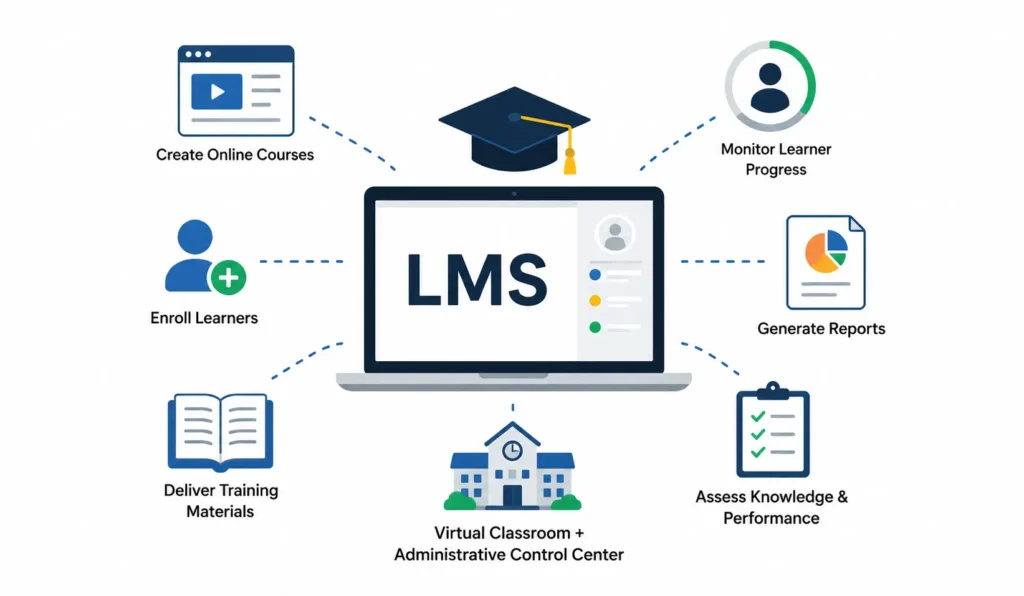
It serves as a digital hub where organizations can:
- Create online courses
- Enroll learners
- Deliver training materials
- Monitor learner progress
- Generate reports
- Assess knowledge and performance
Think of an LMS as a virtual classroom combined with an administrative control center.
Instead of managing training through spreadsheets, emails, printed manuals, and multiple software tools, everything happens within one platform.
How Does an LMS Work?
An LMS works by connecting administrators, instructors, and learners within a centralized platform where learning content is created, delivered, tracked, and analyzed.
The typical LMS workflow includes:
- Course creation and content upload
- User registration and enrollment
- Learning content delivery
- Assessments and quizzes
- Progress tracking
- Reporting and analytics
- Certification and completion management
This streamlined process helps organizations deliver training efficiently while measuring learning outcomes.
The Core Components of an LMS
To understand how an LMS works, it’s important to know the main components that power the platform.
1. Administration Dashboard
The administration dashboard serves as the control center.
Administrators can:
- Manage users
- Create learning paths
- Assign courses
- Configure permissions
- Monitor activity
- Generate reports
Everything related to learning management starts here.
Example
An HR manager can assign cybersecurity training to all new employees and monitor completion rates from a single dashboard.
2. Course Management System
This is where learning content is created and organized.
Course creators can upload:
- Videos
- PDFs
- Presentations
- Documents
- Interactive modules
- Assessments
- Webinars
Courses can be structured into modules, chapters, lessons, or learning paths.
Example
A sales training course may contain:
- Product knowledge videos
- Interactive exercises
- Customer scenario simulations
- Final certification assessments
3. User Management
User management enables administrators to organize learners based on specific criteria.
These may include:
- Departments
- Job roles
- Teams
- Locations
- Skill levels
This allows personalized learning experiences.
Example
Managers receive leadership training while customer service staff receive communication training.
4. Learning Delivery Engine
The delivery engine is responsible for presenting learning content to users.
Learners can access:
- Self-paced courses
- Live virtual classes
- Mobile learning modules
- Blended learning programs
Content becomes available according to assigned schedules and permissions.
5. Assessment and Testing Tools
Most LMS platforms include built-in evaluation tools.
Common assessment formats include:
- Multiple-choice questions
- True/false quizzes
- Scenario-based learning
- Assignments
- Practical evaluations
These tools help measure understanding and knowledge retention.
6. Reporting and Analytics
Reporting tools transform learning data into actionable insights.
Organizations can track:
- Course completion rates
- Assessment scores
- Learning engagement
- Compliance status
- Skill development progress
These insights help improve future training programs.
Step-by-Step: How Does an LMS Work?
Let’s break down the entire LMS process from start to finish.
Step 1: Administrators Set Up the Platform
The process begins with platform configuration.
Administrators typically:
- Create user accounts
- Set permissions
- Define learning groups
- Configure branding
- Establish reporting requirements
This setup creates the foundation for training delivery.
Step 2: Learning Content Is Created or Uploaded
Next, training materials are added to the LMS.
Content may include:
- Training videos
- eLearning modules
- Interactive presentations
- PDFs
- Audio files
- Assessments
Many LMS platforms support industry standards such as SCORM and xAPI to ensure compatibility with eLearning content.
Step 3: Learners Are Enrolled
Users are enrolled manually or automatically.
Enrollment methods include:
Manual Enrollment
Administrators assign learners individually.
Group Enrollment
Entire teams or departments are assigned courses.
Self-Enrollment
Learners choose courses from a catalog.
Automated Enrollment
Rules automatically assign training based on role or department.
Step 4: Learners Access Training
Once enrolled, learners log into the LMS.
They can:
- View assigned courses
- Track progress
- Download resources
- Participate in discussions
- Complete activities
Most modern LMS platforms offer access through:
- Desktop computers
- Tablets
- Smartphones
This flexibility supports learning anytime and anywhere.
Step 5: Learning Progress Is Tracked
One of the most valuable LMS capabilities is automatic tracking.
The system records:
- Login activity
- Time spent learning
- Lesson completion
- Quiz results
- Assignment submissions
Administrators gain real-time visibility into learner engagement.
Step 6: Assessments Measure Learning Outcomes
Assessments verify that learners understand the material.
The LMS can automatically:
- Grade quizzes
- Calculate scores
- Track pass/fail status
- Provide instant feedback
This reduces administrative workload significantly.
Step 7: Reports Generate Insights
As learners complete training, data accumulates.
The LMS converts this information into reports showing:
- Completion percentages
- Learning trends
- Compliance status
- Knowledge gaps
- Performance metrics
These insights support better decision-making.
Step 8: Certifications Are Issued
Many LMS platforms automatically generate certificates when learners complete required training.
Certificates may include:
- Completion dates
- Course names
- Expiration dates
- Accreditation information
This feature is especially important for compliance training.
How Learners Experience an LMS
From a learner’s perspective, the process is straightforward.
Typical Learner Journey
- Log into the LMS
- View assigned training
- Complete learning modules
- Take quizzes and assessments
- Receive feedback
- Earn certificates
- Track personal progress
A well-designed LMS creates a seamless and engaging learning experience.
Key Features That Make an LMS Effective
Modern LMS platforms include advanced features beyond basic course management.
Personalized Learning Paths
Learners receive customized training based on:
- Skills
- Roles
- Career goals
- Performance results
This improves engagement and relevance.
Mobile Learning
Mobile-friendly LMS platforms enable learning on smartphones and tablets.
Benefits include:
- Greater accessibility
- Flexible learning schedules
- Higher course completion rates
Gamification
Gamification introduces elements such as:
- Badges
- Points
- Leaderboards
- Rewards
These features encourage participation and motivation.
Social Learning
Social learning tools promote collaboration through:
- Discussion forums
- Peer feedback
- Group projects
- Knowledge sharing
Learning becomes more interactive and engaging.
Automation
Automation eliminates repetitive administrative tasks.
Examples include:
- Course assignments
- Reminder notifications
- Certificate generation
- Compliance tracking
This saves significant time and resources.
Benefits of Understanding How an LMS Works
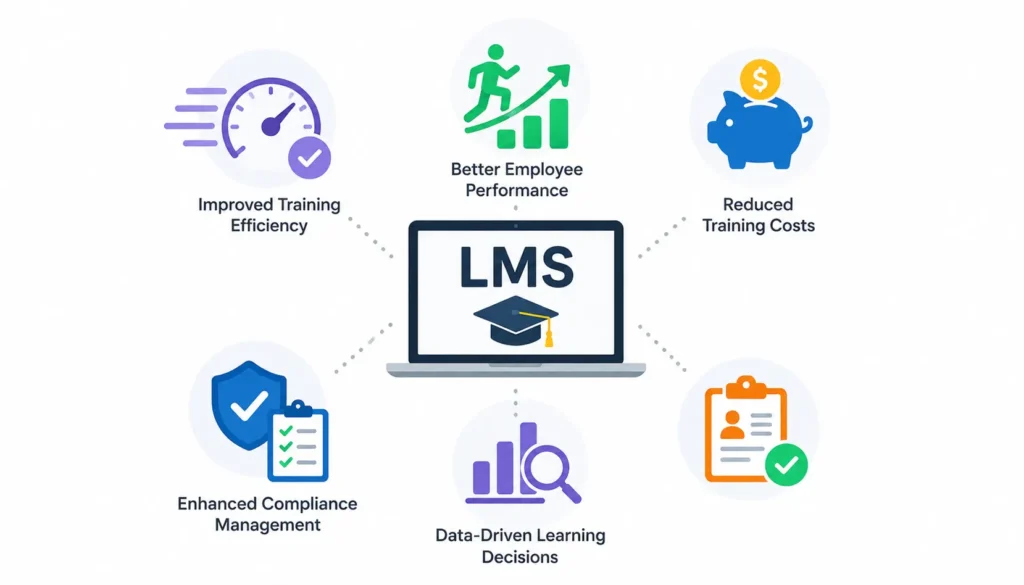
Organizations that understand LMS functionality can maximize its value.
1. Improved Training Efficiency
Training becomes:
- Faster
- More consistent
- Easier to manage
2. Better Employee Performance
Employees gain relevant skills that directly impact job performance.
3. Reduced Training Costs
Organizations save money by reducing:
- Travel expenses
- Instructor costs
- Printed materials
- Administrative work
4. Enhanced Compliance Management
Compliance training becomes easier to monitor and document.
5. Data-Driven Learning Decisions
Reports help organizations continuously improve learning programs.
Real-World Example of an LMS Workflow
Imagine a company onboarding 500 new employees annually.
Without an LMS:
- Training schedules are difficult to coordinate.
- Progress tracking requires spreadsheets.
- Certification records become difficult to manage.
With an LMS:
- Employees receive automatic enrollments.
- Training is available immediately.
- Progress is tracked automatically.
- Managers receive completion reports.
- Certificates are generated instantly.
The result is faster onboarding and greater administrative efficiency.
Common LMS Use Cases
Learning Management Systems are used across many industries.
Corporate Training
Organizations use LMS platforms for:
- Employee onboarding
- Leadership development
- Compliance training
- Skills development
Educational Institutions
Schools and universities use LMS software to:
- Deliver online courses
- Manage assignments
- Conduct assessments
- Support remote learning
Healthcare Training
Healthcare organizations use LMS solutions to maintain certifications and regulatory compliance.
Customer Training
Companies educate customers about products and services through dedicated LMS portals.
Partner and Channel Training
Businesses train distributors, resellers, and external partners using LMS platforms.
How to Choose the Right LMS
When evaluating LMS solutions, consider:
Ease of Use
A user-friendly interface improves adoption.
Scalability
The platform should grow with your organization.
Mobile Accessibility
Learners increasingly expect mobile access.
Reporting Capabilities
Strong analytics are essential for measuring success.
Integration Options
Look for integrations with:
- HR systems
- CRM software
- Video conferencing tools
- Content libraries
Security
Protecting learner data should be a priority.
Frequently Asked Questions (FAQ)
1. What is the main purpose of an LMS?
The main purpose of an LMS is to create, deliver, manage, and track learning activities from a centralized platform.
2. How does an LMS track learner progress?
An LMS records learner activity, including course completion, assessment scores, time spent learning, and participation levels.
3. Can learners access an LMS on mobile devices?
Yes. Most modern LMS platforms are mobile-friendly and allow learners to access training through smartphones and tablets.
4. Is an LMS only for businesses?
No. LMS platforms are used by businesses, schools, universities, healthcare organizations, nonprofits, and training providers.
5. What types of content can an LMS deliver?
An LMS can deliver videos, documents, presentations, quizzes, webinars, simulations, and interactive eLearning modules.
6. Does an LMS automatically generate reports?
Yes. Most LMS platforms provide automated reporting and analytics that help organizations measure training effectiveness.
7. How long does LMS implementation take?
Implementation timelines vary depending on platform complexity, integrations, and organizational requirements, but many cloud-based LMS solutions can be deployed quickly.
Conclusion
Understanding how a Learning Management System works is crucial for companies that want to improve learning and development.
At its core a Learning Management System is a platform that handles all parts of learning. From creating courses and signing up learners to tracking progress and making reports.
This system helps organizations give training by automating tasks making learning easy to access and giving useful information about performance.
A Learning Management System makes training programs more effective, easy to grow and easy to measure.
As online learning changes, companies and schools that use a Learning Management System will be in a position to teach skills, follow rules and grow over time.