


Creating an online training course might seem like a big task at first. But once you break it down into clear steps, it becomes a lot more manageable than you think.
The demand for online learning has grown enormously over the last few years. Businesses are moving away from expensive in-person workshops. Educators are building digital classrooms. Teams spread across different cities and time zones need a consistent way to learn and grow together.
Whether you want to train new employees, run a compliance program, teach customers how to use your product, or launch an educational course for a wider audience, the process follows the same core principles.
In this guide, you will learn exactly how to create an online training course from scratch. We will walk through every step, from defining your goals and planning your content to choosing the right platform and measuring results.
What Is an Online Training Course?
Definition of Online Training Courses
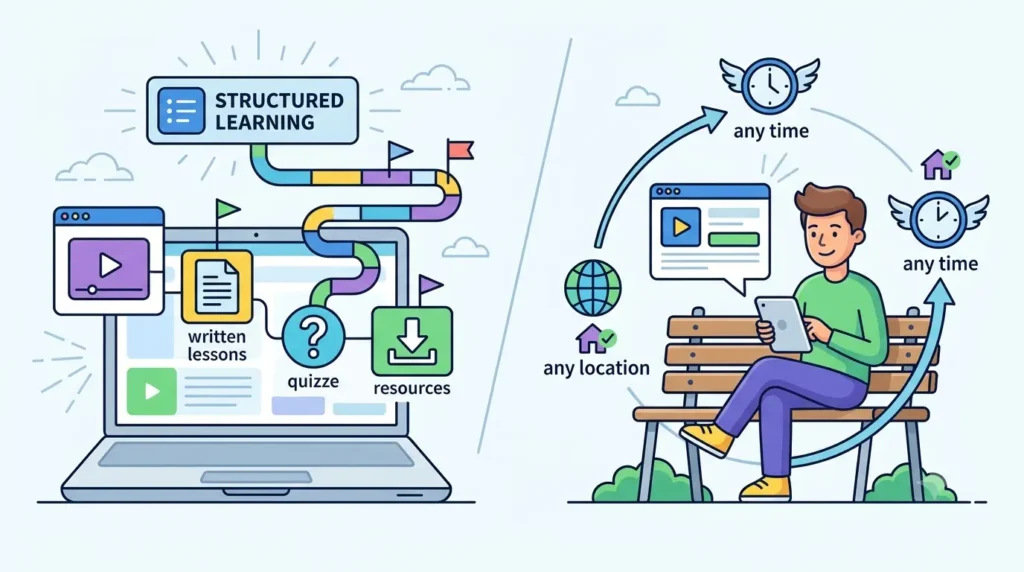
An online training course is a structured learning program delivered through a digital platform. It can include videos, written lessons, quizzes, interactive exercises, and downloadable resources, all organized in a logical sequence that takes learners from one concept to the next.
Unlike traditional training that happens in a classroom or meeting room, online courses can be accessed from anywhere at any time. Learners are not tied to a specific location or schedule, which makes the whole experience far more flexible.
Types of Online Training Courses
Online training is used in many different contexts. Here are the most common types:
- Employee Training: Helps new and existing employees develop the skills they need to do their jobs well. This includes everything from company policies to role-specific technical skills.
- Compliance Training: Covers topics like workplace safety, data privacy, anti-harassment policies, and industry regulations. Completing this type of training is often a legal or regulatory requirement.
- Customer Training: Teaches customers how to get the most out of a product or service. This reduces support requests and improves customer satisfaction.
- Product Training: Designed for sales teams or partners who need to understand a product inside and out before presenting it to customers.
- Educational Courses: Created by schools, universities, or independent instructors to teach academic or professional subjects to students of all ages.
- Certification Programs: Structured courses that lead to a formal certificate upon completion, often used to validate professional skills or meet industry standards.
Benefits of Online Training
Online training offers several real advantages over traditional methods:
- Accessibility: Learners can complete training from any device, at any time, from anywhere in the world.
- Scalability: A course built once can be delivered to ten people or ten thousand without any additional cost or effort.
- Cost-effectiveness: You eliminate expenses like venue hire, printed materials, and travel. The cost per learner drops significantly as more people complete the course.
- Consistent learning experience: Every learner receives the same content, delivered in the same way, every time. There is no variation based on who is delivering the training.
Why Create Online Training Courses?
If you are on the fence about whether to move your training online, here are the key reasons why it is worth doing.
Improve Employee Performance
Well-designed training courses give employees the knowledge and skills they need to perform their jobs more effectively. When training is structured and easy to access, employees apply what they learn faster and with more confidence.
Reduce Training Costs
Building an online course requires an upfront investment of time and resources, but the long-term savings are significant. You no longer need to pay for trainers, venues, travel, or printed handouts every time you run a session. Once the course is built, delivering it to additional learners costs very little.
Standardize Learning
When different managers or trainers deliver the same content in different ways, the quality and accuracy of what employees learn can vary. Online courses ensure that everyone gets the same information, presented in the same clear way, every single time.
Increase Learner Engagement
Online training gives you tools that traditional classrooms do not. Videos, interactive quizzes, gamification, and multimedia content make learning more engaging and easier to absorb than a standard presentation or lecture.
Track Learning Progress Easily
With online training, you get complete visibility into how learners are doing. You can see who has started, who has finished, and who is struggling, without having to ask anyone. This kind of data helps you identify gaps and improve your training over time.
Step 1: Define Your Training Goals
Before you write a single word of content, you need to know exactly what you want your training to achieve. This step is the foundation of everything that follows.
Identify the Learning Objective
A learning objective is a clear statement of what learners will be able to do after completing the course. It should be specific and focused. Avoid vague goals like “understand our company values.” Instead, aim for something concrete like “complete the employee code of conduct and pass the end-of-course assessment.”
Understand Your Audience
Think carefully about who will be taking this course. Consider their existing knowledge, their job roles, the devices they are likely to use, and how much time they have available. A course designed for new hires will look very different from one built for senior managers.
Determine Desired Outcomes
What do you want to happen as a result of this training? Maybe you want to reduce the number of workplace accidents. Maybe you want to improve customer satisfaction scores. Or maybe you want to shorten the time it takes to onboard new employees. Knowing the outcome helps you focus your content on what actually matters.
Create Measurable Learning Goals
Measurable goals are goals you can actually track. Instead of saying “learners will understand product features,” say “learners will be able to identify and explain five key product features.” Measurable goals make it possible to evaluate whether your training is working.
Example Learning Objectives
- By the end of this course, employees will be able to correctly follow the six-step customer complaint resolution process.
- After completing the compliance module, all team members will score 80% or above on the data privacy assessment.
- New sales hires will be able to deliver a full product demo within two weeks of starting.
Step 2: Plan Your Course Structure
A well-organized course is much easier to follow and complete. This step is about turning your learning goals into a clear roadmap.
Break Content Into Modules
Divide your course content into distinct modules, where each module covers one main topic. This makes the course feel manageable for learners and easier for you to build and update over time. A good rule of thumb is to keep each module focused on a single idea or skill.
Organize Lessons Logically
Within each module, arrange your lessons in a logical sequence. Start with foundational concepts before moving to more advanced material. Think about the order in which a learner needs to absorb information to build genuine understanding.
Create a Learning Path
A learning path is the full sequence of modules and lessons that a learner follows from start to finish. A clear path removes confusion and ensures learners always know what to do next. Some platforms allow you to lock lessons until previous ones are completed, which helps maintain the right sequence.
Set Course Duration
Think about how long the course should take to complete. This depends on the complexity of the topic and the time your audience has available. A compliance refresher might take 20 minutes. A full onboarding program might span several days. Being upfront about the expected time commitment helps learners plan accordingly.
Example Course Structure: New Employee Onboarding
- Module 1: Welcome to the Company (Company overview, mission, values)
- Module 2: Your Role and Responsibilities (Job description, team structure, reporting lines)
- Module 3: Tools and Systems (Software setup, internal tools, communication platforms)
- Module 4: Policies and Compliance (Code of conduct, data privacy, workplace safety)
- Module 5: Goals and First 30 Days (Setting expectations, key milestones, who to contact for support)
Step 3: Gather and Prepare Course Content
Once you have a clear structure, it is time to gather all the material that will go into your course. Good content is the heart of any effective training program.
Written Content
Written content forms the backbone of most online courses. This includes lesson text, explanations, summaries, and any supplementary reading material. Keep your language clear and conversational. Avoid jargon where possible, and always write with your audience in mind.
Videos and Presentations
Videos are one of the most effective learning formats available. They work well for demonstrating processes, explaining complex ideas visually, and adding a human element to online training. You do not need a professional studio. A well-lit room, a decent microphone, and a clear script are enough to create high-quality video content.
Infographics and Visuals
Visual content helps learners understand and retain information more effectively than text alone. Use infographics to summarize key points, diagrams to explain processes, and charts to present data. Even simple visuals can make a significant difference to how engaging your course feels.
Downloadable Resources
Give learners something they can take away and reference later. This might include checklists, templates, reference guides, or summary sheets. Downloadable resources add practical value and help learners apply what they have learned on the job.
Real-Life Examples and Case Studies
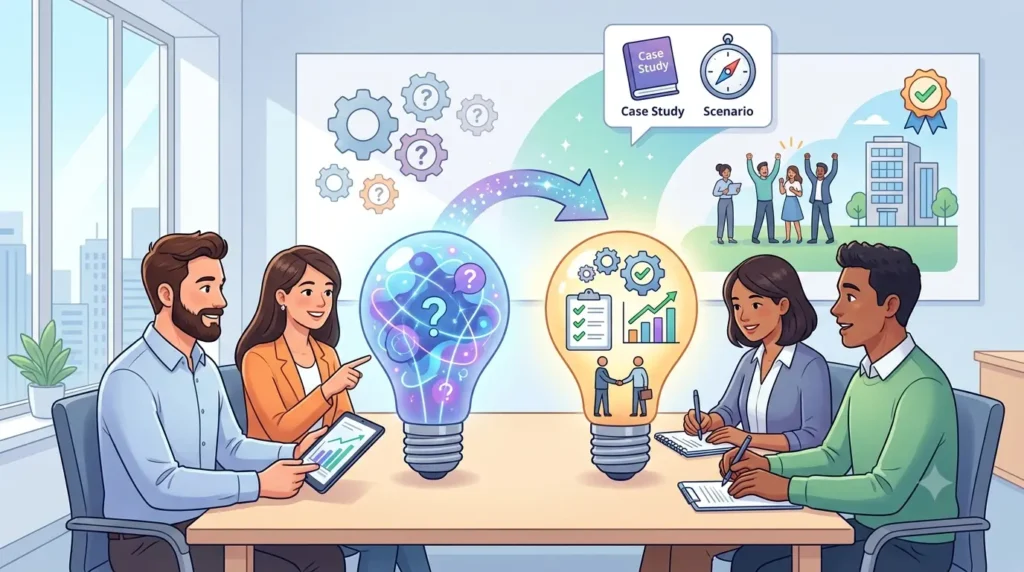
Abstract concepts become much easier to understand when they are illustrated with real examples. Use case studies, scenarios, and stories drawn from your industry or organization. When learners can see how something applies to their actual work, the training sticks much better.
Step 4: Choose the Right Training Format
The format you choose affects how learners engage with your course. Different situations call for different approaches.
Self-Paced Learning
In self-paced learning, learners work through the course on their own time, without any fixed schedule or live sessions. This format works well for busy employees who need flexibility, and for topics where learners can absorb content independently.
Instructor-Led Training
Instructor-led training involves a trainer or subject matter expert who delivers the course live, either in person or through a virtual classroom. This format works best for complex topics that benefit from discussion, Q&A, and real-time interaction.
Blended Learning
Blended learning combines self-paced online modules with live instructor-led sessions. Learners complete foundational content online, then come together for workshops, discussions, or practical exercises. This format gives you the best of both worlds.
Microlearning
Microlearning delivers content in short, focused bursts, typically between two and ten minutes per lesson. It is ideal for refresher training, just-in-time learning, and topics that do not require deep exploration. Microlearning fits naturally into a busy workday.
Mobile Learning
Mobile learning is designed specifically for smartphones and tablets. It is accessible, flexible, and allows employees to train during commutes, breaks, or any spare moment. A mobile-friendly format is becoming less of a nice-to-have and more of an expectation.
Comparison of Training Formats
| Format | Best For | Learner Control | Interaction Level |
| Self-Paced | Flexible schedules, independent topics | High | Low |
| Instructor-Led | Complex topics, discussion-heavy content | Low | High |
| Blended Learning | Combining depth with flexibility | Medium | Medium |
| Microlearning | Quick refreshers, bite-sized skills | High | Low |
| Mobile Learning | On-the-go access, field teams | High | Low to Medium |
Step 5: Create Engaging Learning Materials
Good content is important. But content that learners actually want to engage with is what makes a training course truly effective.
Use Videos Effectively
Keep your videos short and focused. A five to eight minute video on a single concept works far better than a thirty-minute lecture covering multiple topics. Use visuals, on-screen text, and clear narration to reinforce key points. Always include captions for accessibility.
Add Interactive Elements
Interactive elements turn passive viewing into active learning. Drag-and-drop exercises, scenario-based decision trees, clickable diagrams, and matching activities all encourage learners to engage with the material rather than just consume it.
Include Assessments and Quizzes
Regular knowledge checks help learners consolidate what they have learned and help you identify where gaps exist. Place short quizzes at the end of each lesson or module, not just at the end of the course. This keeps learners accountable and reinforces learning throughout.
Use Gamification Techniques
Gamification uses game-like mechanics to motivate learners. Points, badges, progress bars, leaderboards, and achievement unlocks make learning feel rewarding. Even small gamification elements can significantly increase completion rates and learner satisfaction.
Encourage Learner Participation
Give learners ways to participate beyond just clicking through slides. Discussion prompts, reflection questions, peer reviews, and collaborative activities all encourage active engagement. When learners feel involved, they are more likely to complete the course and remember what they learned.
Step 6: Select an Online Training Platform
Your platform is the home for your course. It is where learners access their training, where you manage content, and where all the data lives. Choosing the right one makes everything else easier.
What to Look for in an LMS
A Learning Management System (LMS) is the most common type of platform used for online training. When evaluating your options, look for these essential features:
- Course Management: The ability to easily create, organize, update, and publish courses without needing technical skills.
- User Management: Tools to add learners, assign them to courses, organize them into groups, and control their access levels.
- Reporting and Analytics: Dashboards and reports that show you completion rates, assessment scores, time spent on courses, and overall engagement.
- Mobile Access: A platform that works seamlessly on smartphones and tablets so learners are not restricted to a desktop computer.
- Certification Features: Automated certificate generation and expiry tracking for compliance and professional development programs.
Benefits of Using a Learning Management System
An LMS brings all of your training content, users, and data into one centralized place. Instead of managing spreadsheets, email threads, and separate tools, everything lives in a single system. This saves time, reduces errors, and gives you far better visibility into how your training is performing.
Why Businesses Choose LMS Platforms for Training
Businesses choose LMS platforms because they solve real operational problems. Training can be delivered consistently to hundreds of employees at once. Compliance records are maintained automatically. New courses can be published and distributed in minutes. And managers can see exactly where each employee is in their training without having to follow up manually.
Step 7: Upload and Organize Your Course
Once your content is ready and your platform is chosen, it is time to build your course inside the system.
Create Course Modules
Set up your modules inside the LMS following the structure you planned in Step 2. Give each module a clear, descriptive name so learners know exactly what they are about to learn. Group related lessons together and make sure the flow from one module to the next makes sense.
Upload Training Materials
Upload all your content, including videos, documents, presentations, and any interactive files. Most LMS platforms support common formats like MP4 for video, PDF for documents, and SCORM packages for interactive e-learning content. Check file size limits and format requirements before you start uploading.
Configure User Access
Decide who can see what. You might want all employees to access certain courses while restricting others to specific teams or departments. Set up user roles and permissions so that the right people have access to the right content. If you are running public or paid courses, configure enrollment and access settings accordingly.
Set Completion Requirements
Define what counts as completing the course. This might be watching all videos, passing a final assessment, or completing all modules in sequence. Setting clear completion criteria ensures that learners know what is expected of them and that your records reflect genuine completion rather than just opening the course.
Step 8: Assess Learner Progress
Assessment is how you know whether your training is actually working. Build assessment into your course from the beginning rather than treating it as an afterthought.
Knowledge Checks
Short knowledge checks placed throughout the course help reinforce learning as it happens. These do not need to be formal tests. A couple of multiple-choice questions at the end of a lesson are enough to make learners pause and consolidate what they have just covered.
Quizzes and Exams
End-of-module quizzes and final exams test whether learners have absorbed the core content. Set a minimum passing score to ensure that learners genuinely understand the material before moving on. Allow retakes with a brief waiting period to encourage review rather than guessing.
Assignments
For more complex courses, assignments allow learners to apply what they have learned to a real task. This might involve writing a short report, completing a practical exercise, or analysing a case study. Assignments work especially well in leadership, sales, and professional development programs.
Course Completion Tracking
Your LMS should automatically track who has completed each module and the course as a whole. Use this data to follow up with learners who have not finished, identify content that has a high dropout rate, and report on overall training progress across your organization.
Certifications
For compliance or professional development courses, issue a certificate when a learner successfully completes the program. Certificates provide a sense of achievement, serve as proof of completion for audits, and motivate learners to finish what they started.
Step 9: Launch Your Online Training Course
You have built the course. Now it is time to get it in front of learners. But before you do, take the time to test everything properly.
Test the Course Before Launch
Go through the entire course yourself as if you were a learner seeing it for the first time. Check that all videos play correctly, all links work, quizzes are scoring properly, and the completion tracking is functioning. Ask a colleague to test it too. Fresh eyes often catch things you have missed.
Gather Initial Feedback
Before rolling the course out to everyone, run a soft launch with a small group of learners. Ask them for honest feedback on the content, pacing, and usability. This gives you a chance to fix any problems before they affect the full audience.
Fix Technical Issues
Address any technical problems identified during testing before going live. Even small issues, like a video that loads slowly or a quiz question that is worded confusingly, can frustrate learners and damage their experience of the course.
Communicate With Learners
When the course is ready, let learners know it is available and explain why it matters. Tell them what the course covers, how long it takes, and what they will be able to do after completing it. Clear communication increases enrollment rates and sets the right expectations from the start.
Step 10: Measure and Improve Course Performance
Launching the course is not the end of the process. The best training programs are continuously refined based on real data and learner feedback.
Monitor Completion Rates
Completion rate is one of the most useful indicators of course quality. If a large number of learners are dropping out at a particular point, that is a signal that something is not working. Review the content around that drop-off point and look for ways to make it clearer or more engaging.
Analyze Learner Engagement
Look beyond completion rates. Are learners watching videos all the way through or dropping off halfway? Are they retaking quizzes multiple times, which might suggest the content is unclear? Use the data your LMS collects to build a full picture of how learners are interacting with the course.
Collect Feedback
Build a short feedback survey into the end of your course. Ask learners what they found useful, what was confusing, and what they wished had been included. Direct feedback from learners is one of the most valuable sources of information you have for improving your training.
Update Content Regularly
Training content can become outdated quickly, especially in fast-moving industries. Schedule regular reviews of your course material to check that everything is still accurate and relevant. Update examples, statistics, and any references to tools or processes that may have changed.
Improve Based on Data
Use everything you have gathered, from completion data and quiz scores to learner feedback and manager observations, to make your course better. Continuous improvement is what separates a good training course from a great one. Each iteration makes the learning experience more effective for the next group of learners.
Common Mistakes to Avoid When Creating Online Training Courses
Even experienced course creators make mistakes. Here are the most common ones and how to avoid them.
Overloading Learners With Information
Trying to cover everything in a single course is one of the biggest mistakes you can make. Learners can only absorb so much at once. Focus each course on a specific topic and keep the scope tight. If a subject is too broad, break it into multiple shorter courses.
Ignoring Mobile Users
A significant number of learners will access your course on a smartphone. If your course is not designed for mobile, you will immediately lose a large portion of your audience. Always check how your course looks and functions on smaller screens before publishing.
Lack of Interactivity
A course that consists entirely of text and slides is unlikely to keep learners engaged. Without interactive elements, assessments, and varied content formats, learners will lose interest quickly. Aim for a mix of content types in every module.
Poor Course Structure
Courses that jump between topics without a clear logical flow confuse learners and make it hard for them to build on what they have learned. Always plan your structure before creating content, and make sure each lesson builds naturally on the one before it.
Not Measuring Results
Creating a course and walking away is not enough. Without measuring completion rates, assessment scores, and learner feedback, you have no idea whether the training is achieving its goals. Build measurement into your process from the very beginning.
Best Practices for Successful Online Training Courses
Here is a summary of the principles that the most effective online training courses have in common:
- Keep lessons short and focused: Aim for five to fifteen minutes per lesson. Shorter lessons are easier to complete and have higher engagement rates.
- Use multimedia content: Combine video, text, visuals, and interactive elements to cater to different learning styles and keep the experience varied.
- Include assessments regularly: Place knowledge checks throughout the course, not just at the end. Regular assessment reinforces learning and helps identify gaps early.
- Make courses mobile-friendly: Ensure your course looks great and functions properly on all devices, including smartphones and tablets.
- Encourage active participation: Include discussion prompts, reflection activities, and collaborative exercises to keep learners actively involved.
- Update training materials frequently: Review your content at least once a year and update it whenever processes, tools, or regulations change.
How AI Is Transforming Online Course Creation
Artificial intelligence is changing how training courses are built and delivered. What used to take weeks can now be done in a fraction of the time, with better results.
AI-Powered Content Creation
AI tools can help trainers generate course outlines, write lesson content, create quiz questions, and produce summaries automatically. This dramatically reduces the time it takes to build a course from scratch, especially for subject matter experts who know their topic well but are not professional instructional designers.
Personalized Learning Paths
AI can analyze a learner’s performance, role, and preferences to recommend the most relevant courses and adjust the learning path in real time. Instead of every employee following the same fixed sequence, each person gets a learning experience that is tailored to their specific needs and skill gaps.
Automated Assessments
AI-powered assessment tools can grade open-ended responses, detect patterns in quiz results, and adapt the difficulty of questions based on how a learner is performing. This makes assessments smarter and more useful as a feedback tool.
Learning Analytics and Insights
AI-powered analytics go beyond basic completion reports. They can predict which learners are at risk of disengaging, identify the content that drives the best outcomes, and provide recommendations for how to improve course effectiveness. This level of insight was not available with traditional training methods.
Platforms like SkillForce LMS bring all of this together. With AI-powered course creation tools, automated tracking, and in-depth analytics, SkillForce makes it possible to build professional training programs quickly and manage them efficiently as your organization grows.
Frequently Asked Questions
How do I create an online training course?
Start by defining your training goals and understanding your audience. Then plan your course structure, gather your content, choose a training format, and build the course on an LMS platform. Test it before launch, collect feedback, and continue to improve it over time.
What is the best platform for online training?
The best platform depends on your organization’s size, budget, and specific needs. Look for an LMS that offers course creation tools, user management, progress tracking, mobile access, and strong reporting capabilities. AI-powered platforms like SkillForce LMS are increasingly popular for their ability to automate and personalize the learning experience.
How long should an online training course be?
There is no single right answer, but shorter is usually better. A focused course of 20 to 45 minutes tends to have higher completion rates than longer programs. For complex topics, break the content into a series of shorter courses rather than one long one.
What content should be included in an online course?
Your course should include clearly written lessons, video content where relevant, assessments to test understanding, downloadable resources for future reference, and real-life examples that make the content relatable. The exact mix will depend on the topic and the audience.
How can I make online training engaging?
Use a variety of content formats, include interactive elements, add gamification features like badges and progress tracking, keep lessons short, and make the content feel relevant to the learner’s actual job or situation. Regular knowledge checks also help maintain engagement throughout.
What are the benefits of using an LMS?
An LMS centralizes all your training content and learner data in one place. It automates enrollment, tracking, and certification. It reduces the administrative burden of managing training manually. And it gives you detailed analytics to measure the effectiveness of your programs.
Can I create training courses without technical skills?
Yes. Most modern LMS platforms are designed to be used by non-technical users. They offer drag-and-drop course builders, ready-made templates, and step-by-step guidance. AI-powered tools make it even easier by generating content and course structures automatically.
How do I measure training effectiveness?
Look at completion rates, assessment scores, learner feedback, and changes in performance or behavior after the training. If the training was designed to solve a specific problem, measure whether that problem has improved. Your LMS will provide most of the data you need.
How much does it cost to create an online training course?
Costs vary widely depending on the tools you use, the complexity of the content, and whether you create everything in-house or hire external help. Many LMS platforms offer affordable subscription plans. AI tools are reducing course creation costs significantly by automating time-consuming tasks.
How can AI help create online courses?
AI can generate course outlines, write lesson content, create quiz questions, personalize learning paths, automate assessments, and provide advanced analytics. For organizations that need to build training programs quickly and at scale, AI tools are becoming an essential part of the process.
Conclusion
Creating an effective online training course is one of the best investments an organization can make in its people. When training is well-designed, consistently delivered, and easy to access, it drives real improvements in performance, engagement, and compliance.
The process does not have to be complicated. Start with clear goals, plan your structure carefully, choose the right format for your audience, build content that genuinely engages learners, and pick a platform that makes managing everything straightforward.
Do not forget to measure your results. The data your LMS collects after launch is just as valuable as the work you put in before it. Use that data to keep improving your courses over time.
The rise of AI-powered tools is making the whole process faster and more accessible than ever before. Whether you are building your first course or your hundredth, the right platform and the right approach will help you create training that actually makes a difference.
Start with one course. Keep it focused, make it engaging, and track how your learners respond. From there, you can build out a full training library that supports your team and your organization as both continue to grow.