


Without a plan, training turns into a string of last-minute requests. A manager asks for a workshop in a busy month. Compliance courses get missed. Budgets run out by September. Employees skip sessions because they clash with deadlines.
Learning and development (L&D) teams can avoid this with a clear schedule. This guide shows you how to create a corporate training calendar that links employee development to business goals, fits real work rhythms, and can be measured.
You will learn what a training calendar is, why it matters, and a 10-step process to build one. You will also get a sample 12-month calendar, a budget example, a KPI framework, and a checklist you can use before you publish your plan.
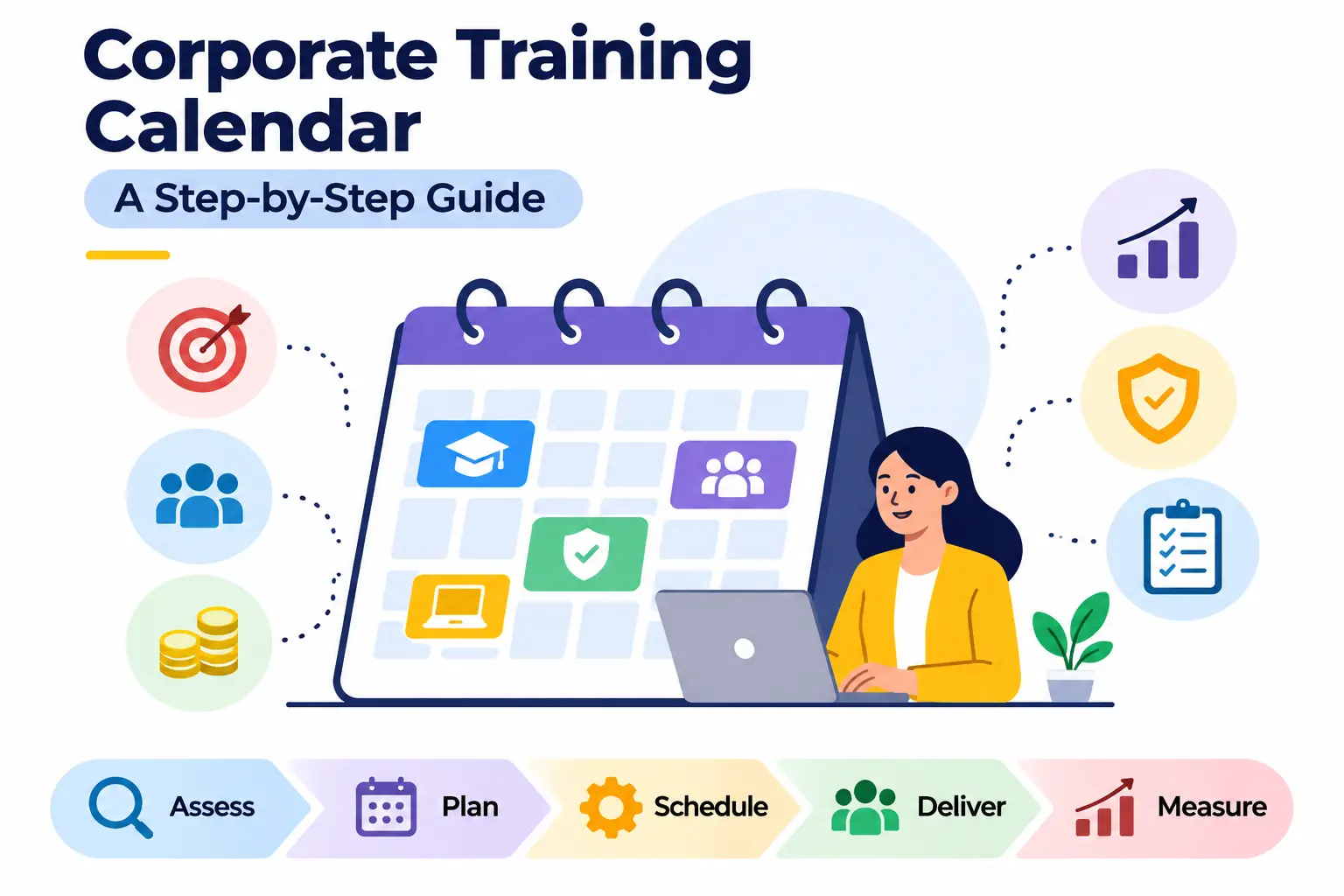
What Is a Corporate Training Calendar?
A corporate training calendar is a schedule that lists every planned training program in an organization, along with dates, audiences, formats, trainers, and budgets. It shows who will learn what, and when.
Think of it as the single source of truth for employee development. HR, managers, and employees can all see what is coming and plan their workload around it.
A training calendar vs. a training plan
People often use these terms as if they mean the same thing. They don’t.
A training plan explains why and how. It covers goals, needs, methods, and expected results. A training calendar explains when and who. It turns the plan into dates and assignments.
You need both. The plan gives direction, and the calendar makes it happen. Before building your schedule, learn how to create a corporate training plan to define training goals, responsibilities, methods, and expected outcomes.
What Information Should a Corporate Training Calendar Include?
A useful calendar goes beyond a topic and a date. Include these fields:
- Training topic: the subject or course name.
- Department or target audience: who must attend.
- Training objectives: what participants should be able to do afterward.
- Scheduled date and duration: start date, end date, and total hours.
- Training format: classroom, online, virtual instructor-led, blended, or on the job.
- Trainer or facilitator: internal expert or external provider.
- Estimated budget: the cost of the session or program.
- Expected learning outcomes: the skills or knowledge you want to see.
- Training status: planned, confirmed, in progress, completed, or postponed.
A status column sounds small, but it saves a lot of follow-up emails.
Types of Corporate Training Calendars
Different teams need different views. These are the most common ones:
- Annual training calendar: a 12-month overview of all programs. Best for budgeting and leadership approval.
- Quarterly training calendar: a three-month view with more detail. Good for reviewing progress and making adjustments.
- Monthly training calendar: a detailed schedule with session times, rooms, and trainers.
- Department-wise training calendar: a calendar for one team, such as sales or finance.
- Compliance training calendar: tracks mandatory courses, renewal dates, and deadlines. Often used for safety, data protection, and regulatory training.
Most organizations keep one master annual calendar and create the other views from it.
Why Is a Corporate Training Calendar Important?
A calendar does more than keep things tidy. It helps you spend time and money where they matter most.
Aligns Employee Training With Business Goals
If the company plans to launch a new product, your sales team needs product training before the launch, not after. A calendar forces you to map training to business priorities early.
Identifies and Addresses Skill Gaps
When you plan the year in advance, you have to ask what skills are missing. That question leads to better programs than simply repeating last year’s list.
Improves Employee Productivity and Performance
Employees who know what they need to learn, and when, can prepare. Managers can also protect time for it. Training works better when it is expected rather than sprung on people.
Helps Manage Training Budgets
A calendar lets you see costs by month and department. You can spot expensive clusters, negotiate with vendors early, and avoid overspending late in the year.
Ensures Mandatory and Compliance Training Is Scheduled
Some training is not optional. Safety briefings, anti-harassment courses, and data privacy refreshers often have legal or policy deadlines. A calendar makes sure they are scheduled, not forgotten.
Improves Employee Participation and Engagement
People attend more consistently when sessions are announced early and avoid their busiest weeks. Advance notice also shows employees that the company is investing in their growth.
Makes Training Performance Easier to Measure
When every program has a date, an owner, and an objective, you can track attendance, completion, and results. Without that structure, measurement is guesswork.
How to Create a Corporate Training Calendar Step by Step
Here is the short version, written for quick reference:
- Identify organizational training needs.
- Conduct a training needs analysis.
- Define clear, measurable objectives.
- Prioritize training programs.
- Allocate the training budget.
- Choose training methods and facilitators.
- Schedule sessions across the year.
- Communicate the calendar to employees.
- Track attendance and completion.
- Evaluate results and update the calendar.
Now let’s go through each step in detail.
Step 1: Identify Organizational Training Needs
Start with the business, not with a course catalog. Ask what the company needs to achieve in the next 12 months and what people must be able to do to get there.
Gather input from several places:
- Business objectives: review the annual strategy, revenue targets, and product plans.
- Current workforce capabilities: look at what your teams can already do well.
- Department managers: they know where work is slowing down or quality is slipping.
- Employee feedback: ask people what would help them do their jobs better.
- Performance evaluations: recurring weak areas often point to training needs.
- Upcoming changes: new software, new regulations, restructuring, or expansion all create learning needs.
Example scenario: Imagine a mid-sized logistics company is rolling out a new warehouse management system in June. The L&D lead sees this in the business plan in January. She schedules system training for May, with a refresher in July. Because she planned ahead, the rollout does not stall while people figure out the software.
Step 2: Conduct a Training Needs Analysis (TNA)
A training needs analysis (TNA) is a structured way to find the gap between the skills your people have and the skills the business needs. It stops you from training people on things they already know, or missing things they don’t.
Work at three levels:
- Organizational level: what skills does the company need to meet its goals?
- Departmental level: what does each team need to perform its role?
- Individual level: where do specific employees need to improve?
Use a mix of methods, such as surveys, one-on-one interviews, skill assessments, and performance data. No single source tells the full story. If surveys say people feel confident but performance reviews show errors, dig deeper.
Example of a Training Needs Assessment
| Department | Identified gap | Recommended training |
| Sales | Negotiation skills | Sales negotiation |
| HR | Recruitment processes | Advanced recruitment |
| Finance | Data analysis | Excel and Power BI |
| IT | Security awareness | Cybersecurity |
| Operations | Workplace safety | Safety training |
This table is illustrative. Your own gaps will depend on your industry, size, and goals.
Step 3: Define Clear and Measurable Training Objectives
A topic is not an objective. “Cybersecurity” is a topic. “Employees can identify and report phishing emails” is an objective.
Use the SMART criteria to write objectives that are specific, measurable, achievable, relevant, and time-bound. Then link each objective to a business priority. If you cannot explain why an objective matters to the business, reconsider the program.
To make an objective measurable, decide how you will check it. That could be a test score, an observed behavior, an error rate, or a customer satisfaction result.
Examples of SMART Training Objectives
- Cybersecurity: Improve average scores on the employee security awareness assessment by 15% within three months of training.
- Sales: Enable all sales staff to use a structured negotiation framework in client calls by the end of the quarter.
- Management: Help managers complete performance reviews on time and with documented development goals for every team member.
The percentages above are examples. Set your own targets using your baseline data.
Step 4: Prioritize Training Programs
You will almost always have more training ideas than time or money. Prioritizing keeps you focused.
Start by separating mandatory from optional training. Then rank programs using these questions:
- How urgent is it?
- What is the business impact if we skip it?
- How large is the skill gap?
- Do we have the budget and people to deliver it?
- Does it address a high-risk competency, such as safety or data protection?
If a gap creates legal, safety, or security risk, it goes to the top of the list.
Mandatory vs. Optional Corporate Training
| Factor | Mandatory training | Optional training |
| Purpose | Meet legal, regulatory, or policy requirements | Build skills and support career growth |
| Examples | Workplace safety, data protection, anti-harassment | Leadership, presentation skills, advanced Excel |
| Scheduling | Fixed deadlines, often with renewal cycles | Flexible, based on demand and capacity |
| Attendance | Required | Encouraged or by nomination |
| Priority | Highest | Based on business impact |
Step 5: Allocate the Corporate Training Budget
A calendar without a budget is only a wish list. Estimate the total training budget first, then divide it by priority and department.
Include these cost areas:
- Internal and external trainer fees.
- Software, platforms, and licenses.
- Training materials and certifications.
- Employee time away from work, including backfill if needed.
- Travel, venue, and catering.
- A contingency reserve, usually 5–10% of the total, for unexpected needs.
Ask finance how they treat employee time. Some companies count it as a training cost, and others do not. Whatever you choose, be consistent from year to year so comparisons make sense.
Example of a Corporate Training Budget
This hypothetical example is for a company training 100 employees in one year. Figures are in US dollars for illustration only.
| Category | Estimated cost |
| External trainer fees | $8,000 |
| LMS and e-learning licenses | $3,000 |
| Training materials and certifications | $1,500 |
| Venue and travel | $2,500 |
| Employee time and backfill | $3,000 |
| Subtotal | $18,000 |
| Contingency (10%) | $1,800 |
| Total | $19,800 |
In this example, the cost per employee is 198(19,800 divided by 100). Your own numbers will differ.
Step 6: Choose Training Methods and Facilitators
The best format depends on the topic, the audience, and the budget. A hands-on equipment course does not work well as a slideshow. A policy refresher does not need a full-day workshop.
Common options include:
- Classroom training.
- Online self-paced training.
- Instructor-led virtual training.
- Blended learning, which mixes online and in-person elements.
- Workshops and seminars.
- On-the-job training.
- Coaching and mentoring.
You also need to decide who delivers it. Internal trainers know your culture and cost less. External trainers bring fresh expertise and are useful for specialized or technical topics.
How to Choose the Right Training Format
| Format | Best for | Advantages | Limitations |
| Classroom | Hands-on skills, team building | Direct interaction, immediate feedback | Higher cost, fixed schedule, travel |
| Online self-paced | Policies, compliance, product knowledge | Flexible, scalable, easy to track | Lower engagement, needs self-discipline |
| Virtual instructor-led | Remote or multi-location teams | Live interaction without travel | Screen fatigue, time zone challenges |
| Blended | Complex skills that need theory and practice | Combines flexibility with practice | Takes more planning |
| Workshop or seminar | Problem-solving, leadership topics | Focused, discussion-based | Takes people away from work |
| On-the-job | Role-specific, practical skills | Real context, low cost | Quality depends on the mentor |
| Coaching and mentoring | Leadership and career development | Personalized, builds relationships | Time-intensive, hard to scale |
Step 7: Schedule Training Sessions Across the Year
Now you can place programs on the calendar. Do it in this order:
- Fix mandatory and deadline-driven training first.
- Add training tied to business events, such as product launches.
- Fill the remaining gaps with skill development programs.
- Add follow-up sessions and assessments.
Watch for these scheduling traps:
- Business peak periods: do not schedule finance training during year-end close or sales training during the busiest selling season.
- Employee availability: check leave plans, holidays, and shift patterns.
- Overlaps: if one manager must send five team members to different sessions on the same week, someone will drop out.
- Follow-ups: put refreshers and assessments on the calendar now, not later.
How to Create a Department-Wise Training Schedule
A department-wise schedule takes the master calendar and filters it for one team. Here are illustrative examples:
| Department | Sample programs | Suggested timing |
| HR | Advanced recruitment, labor law updates, onboarding design | Q1 and Q3 |
| Sales | Negotiation, product knowledge, CRM skills | Before peak selling season |
| IT | Cybersecurity, cloud skills, incident response | Spread across quarters |
| Finance | Financial reporting, Excel and Power BI, audit readiness | Avoid year-end and quarter-end |
| Operations | Workplace safety, process improvement, equipment use | Quarterly refreshers |
| Management | Leadership, coaching, performance reviews | Q1 and Q4 |
Always confirm timing with department heads. They know when their team is stretched.
Step 8: Communicate the Training Calendar to Employees
A great calendar that nobody sees does not help. Share it widely and early.
- Announce upcoming programs through email, your intranet, or team meetings.
- Share learning objectives so employees know why each session matters.
- Send calendar invitations with dates, times, and locations or links.
- Notify department managers so they can plan workloads.
- Provide joining instructions such as login details, pre-reading, or what to bring.
- Send reminders one week and one day before each session.
Keep the tone helpful. Employees should see training as support, not as extra work.
Step 9: Track Training Attendance and Completion
Tracking tells you what happened, and it protects you during audits. Record:
- Who attended or logged in.
- Who completed the course.
- Assessment results.
- Employee feedback.
- Certificates and renewal dates.
Store everything in one place, whether that is a spreadsheet, an LMS, or an HR system. Scattered records are one of the biggest headaches in compliance audits. For a more organized approach, explore how to track employee training progress using completion records, assessment scores, certification tracking, and training reports.
Step 10: Evaluate Results and Update the Calendar
Training does not end when the session does. Check whether it worked.
Compare results against your original objectives. Ask whether performance improved, whether new gaps appeared, and whether employees applied what they learned. Then adjust.
Review the calendar every quarter. If a product launch moves or a team grows, the schedule should change too. A calendar that never updates quickly becomes irrelevant.
Corporate Training Calendar Template: Example of a 12-Month Schedule
A template saves time, but it should never be copied without thought. Use the example below as a starting point. Replace the topics with your own needs from the training needs analysis, and adjust the timing to match your business cycle.
Sample Annual Corporate Training Calendar
This calendar is illustrative.
| Month | Training topic | Target department |
| January | Workplace communication | All departments |
| February | Cybersecurity awareness | All departments |
| March | Leadership development | Management |
| April | Financial reporting | Finance |
| May | Customer service excellence | Sales and support |
| June | Workplace safety | Operations |
| July | Data analysis | Finance and marketing |
| August | Recruitment and onboarding | HR |
| September | Project management | All departments |
| October | Compliance training | All departments |
| November | Advanced technical skills | IT |
| December | Performance and development review | All departments |
To turn this into a full working calendar, add the columns from earlier: objectives, duration, format, trainer, budget, outcomes, and status.
How to Customize the Calendar for Different Departments
Every team has its own rhythm and needs. Here is what to consider:
- HR: recruitment, onboarding, employment law updates, and employee relations.
- Sales: negotiation, product knowledge, CRM use, and customer handling. Schedule before busy seasons.
- Finance: reporting standards, data analysis, and audit preparation. Avoid closing periods.
- IT: security, cloud tools, and technical certifications. Plan around system upgrades.
- Operations: safety, quality, process improvement, and equipment training. Repeat regularly.
- Leadership: coaching, feedback, performance management, and change management.
How to Create a Monthly or Quarterly Training Calendar
An annual calendar gives you the big picture. Monthly and quarterly views help you run it.
For a monthly calendar, list each session with its exact date, time, location or link, trainer, and participants. Share it at the start of the month.
For a quarterly review, meet with department heads every three months. Look at attendance, results, budget use, and upcoming business changes. Then adjust the next quarter.
Here is a small sample of a monthly schedule:
| Date | Session | Format | Audience | Trainer |
| Week 1 | Phishing awareness | Online | All staff | IT team |
| Week 2 | Giving feedback | Workshop | Managers | External |
| Week 3 | Excel basics | Virtual | Finance | Internal |
| Week 4 | Quarterly review meeting | Meeting | L&D and managers | L&D lead |
Best Practices for Managing a Corporate Training Calendar
Align Training With Organizational Priorities
Re-check your calendar against company goals whenever strategy changes. If it does not support a priority, question it.
Balance Mandatory and Skill Development Training
Do not let compliance crowd out growth. Employees want to develop skills, not only complete required courses.
Avoid Overloading Employees With Training Sessions
Too many sessions lead to fatigue and low retention. Spread programs out and leave room for people to apply what they learn.
Include Employee Feedback in Training Decisions
Short surveys after each session reveal what worked. Ask what employees want next, too.
Plan Training Around Business Operations
Work with managers to avoid peak periods. A session that no one can attend wastes money.
Keep the Calendar Flexible
Plans change. Build in buffer weeks and have backup dates for key programs.
Schedule Follow-Up Learning and Assessments
People forget much of what they learn if they do not use it. Add refreshers, practice tasks, and short quizzes to the calendar.
Review the Calendar Every Quarter
A quarterly review keeps the plan current and shows you where to adjust budget and timing.
How to Measure Corporate Training Effectiveness
Measurement shows whether training is worth the investment. Choose a few clear metrics, then track them consistently.
Important Corporate Training KPIs
- Training attendance rate: the percentage of invited employees who attended.
- Training completion rate: the percentage who finished the program.
- Assessment scores: results of tests or practical evaluations.
- Employee satisfaction: feedback on content, trainer, and relevance.
- Skill improvement: the change in skill level before and after training.
- Training application rate: how many employees use the new skills at work.
- Training cost per employee: total training cost divided by the number of employees trained.
- Training ROI: the financial return compared with cost.
No single KPI tells the whole story. High satisfaction with low skill improvement, for example, may mean the session was enjoyable but not effective.
Understanding the Kirkpatrick Model of Training Evaluation
The Kirkpatrick Model is one of the most widely used frameworks for evaluating training. It looks at four levels:
- Level 1: Reaction. Did participants find the training useful and engaging?
- Level 2: Learning. Did they gain the intended knowledge or skills?
- Level 3: Behavior. Are they applying what they learned on the job?
- Level 4: Results. Did the training contribute to business outcomes, such as fewer errors or higher sales?
Many organizations stop at Level 1 because it is easy to collect. The real value is in Levels 3 and 4, although they take more effort to measure.
How to Calculate Training ROI
Training ROI compares the benefits of a program with its costs. The basic formula is:
ROI (%) = (Training Benefits − Training Costs) ÷ Training Costs × 100
Here is a hypothetical example. A customer service program costs $19,800. After the training, the company attributes $31,000 in benefits to it, such as fewer refunds and less rework.
- Net benefit: $31,000 − $19,800 = $11,200
- ROI: $11,200 ÷ $19,800 × 100 = about 56.6%
Be careful with the “benefits” number. It is easy to overstate. Use a sound attribution method to separate the effect of training from other factors, such as seasonality or a new product. Comparing a trained group with an untrained group is one common approach. For more background, see the general definition of return on investment.
How to Track Training Performance Over Time
- Compare before and after: measure the same skill or metric before training and again afterward.
- Track skill development: record progress for individuals across the year.
- Monitor department results: watch indicators such as quality, speed, and customer feedback.
- Review reports regularly: summarize attendance, scores, and costs every quarter.
Best Tools and Software for Managing a Corporate Training Calendar
Microsoft Excel and Google Sheets
Spreadsheets are the easiest place to start. You can build a calendar, track attendance, calculate budgets, and share the file with managers. They work well for small teams. As the number of employees and courses grows, though, manual updates become hard to manage.
Learning Management Systems (LMS)
A learning management system hosts courses, assigns them to employees, tracks progress, and records assessment results. It is a good choice if you run a lot of online training or need audit-ready records. If your organization needs a centralized solution for delivering courses, managing employee learning, and monitoring training outcomes, explore the benefits of a corporate training platform.
HR Management Software
HR systems keep employee records in one place. Many include training scheduling, notifications, and links between training and performance reviews. This helps when you want a central view of each employee’s development.
Popular Corporate Training Platforms
These are well-known examples. Features and pricing change, so check each vendor’s current information before deciding.
- Moodle: an open-source LMS.
- TalentLMS: a cloud-based LMS often used by small and mid-sized organizations.
- Docebo: an LMS with a focus on larger and enterprise learning programs.
- Cornerstone: a talent management and learning platform.
- SAP SuccessFactors: an HR suite with learning and talent modules.
Practitioners often share real-world experiences with these tools. Communities such as humanresources and instructionaldesign can give you honest, user-level opinions. Treat them as opinions, not proof, and test any tool yourself.
How to Choose the Right Training Calendar Software
Use these criteria when comparing options:
- Ease of use: will managers and employees actually use it?
- Scheduling capabilities: can it handle sessions, reminders, and waitlists?
- Employee tracking: does it record attendance and completion?
- Reporting and analytics: can you export the KPIs you need?
- LMS integration: does it connect with your learning content?
- HR system integration: does it sync employee data?
- Scalability: will it work as you grow?
- Pricing: is the total cost clear, including setup and support?
Run a short trial with a small group before committing.
Common Mistakes to Avoid When Creating a Corporate Training Calendar
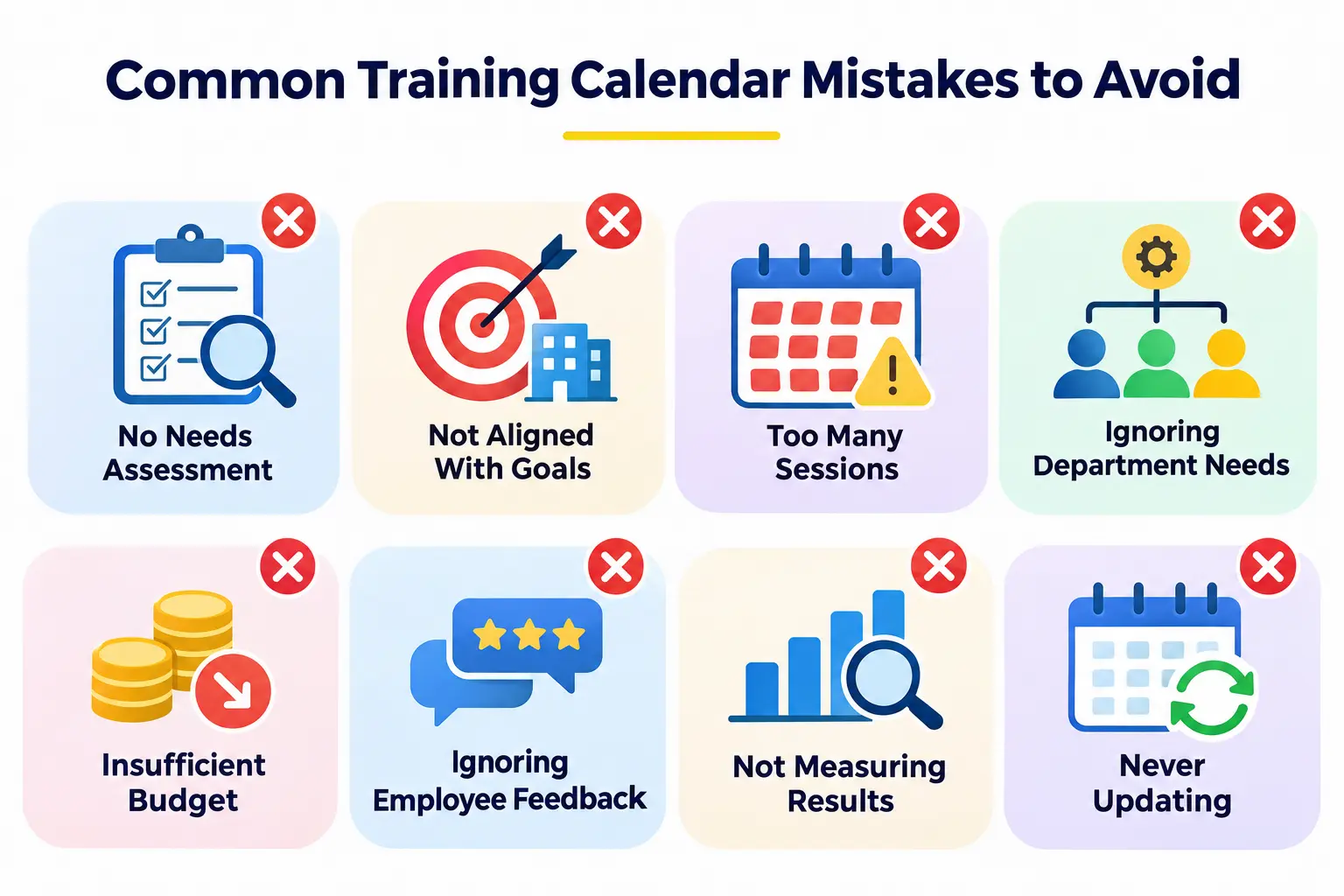
Planning Training Without Assessing Employee Needs
Copying last year’s list or picking popular topics wastes time. Start with a needs analysis.
Ignoring Organizational Business Goals
Training that does not support company priorities is hard to justify and easy to cut when budgets tighten.
Scheduling Too Many Training Sessions
A packed calendar leads to missed sessions and low retention. Fewer, well-timed programs usually work better.
Overlooking Departmental Requirements
A one-size-fits-all approach can leave specialized teams underserved. Involve department heads early.
Not Allocating Sufficient Budget
Underfunded plans lead to canceled sessions. Include contingency and hidden costs, such as employee time.
Ignoring Employee Feedback
If employees say a course is not useful and nothing changes, trust drops fast. Act on feedback where you can.
Failing to Measure Training Results
Without data, you cannot prove value or improve. Define KPIs before training begins.
Never Updating the Annual Calendar
Business conditions change. Review the calendar every quarter and adjust it.
Corporate Training Calendar Checklist
Use this list before you finalize and publish your calendar:
- Business goals identified.
- Training needs assessed.
- Departmental requirements collected.
- Learning objectives defined.
- Training programs prioritized.
- Budget approved.
- Trainers selected.
- Training dates finalized.
- Employee schedules checked.
- Calendar communicated.
- Attendance tracking established.
- Training KPIs defined.
- Quarterly review scheduled.
Frequently Asked Questions About Corporate Training Calendars
1. What is a corporate training calendar?
A corporate training calendar is a schedule of planned training programs across an organization. It lists topics, audiences, dates, formats, trainers, and budgets so everyone knows what is happening and when.
2. How do you create an annual corporate training calendar?
Identify business goals and skill gaps, set measurable objectives, prioritize programs, and set a budget. Then choose formats and trainers, place sessions on a 12-month schedule, communicate it, track attendance, and review it each quarter.
3. What should be included in a corporate training calendar?
Include the training topic, target audience, objectives, date and duration, format, trainer, estimated budget, expected outcomes, and status. These fields make the calendar useful for planning and tracking.
4. How often should a corporate training calendar be updated?
Review it at least once a quarter. Update it sooner if business priorities, budgets, regulations, or staffing change in a way that affects training.
5. Who is responsible for creating a corporate training calendar?
Usually the HR or L&D team leads the process. Department managers, finance, and senior leaders provide input on needs, budgets, and timing. In small companies, the HR manager or business owner may do it all.
6. What is the difference between a training plan and a training calendar?
A training plan explains goals, methods, and expected results. A training calendar shows when each session takes place and who attends. The plan gives direction, and the calendar schedules it.
7. How do you create a training calendar for multiple departments?
Build one master calendar first. Collect needs from each department, schedule shared programs such as compliance, then add department-specific sessions. Check for overlaps and peak periods with each department head.
8. What software can be used to create a corporate training calendar?
Small teams can use Excel or Google Sheets. Larger organizations often use a learning management system or HR software, such as Moodle, TalentLMS, Docebo, Cornerstone, or SAP SuccessFactors.
9. How do you measure the effectiveness of employee training?
Track attendance, completion, assessment scores, satisfaction, and on-the-job application. Use the Kirkpatrick Model to look at reaction, learning, behavior, and results, and compare performance before and after training.
10. How much should a company spend on employee training?
There is no single right number. It depends on your industry, size, growth plans, and compliance needs. Start by costing your priority programs, then compare your spending with industry benchmark reports from sources such as the Association for Talent Development (ATD).
Conclusion
Learning to create a corporate training calendar is really about learning to plan with purpose. When you start from business goals, assess real needs, and schedule around real work, training becomes something people value instead of something they dodge.
Follow the 10 steps in this guide. Set clear objectives, prioritize carefully, budget realistically, and communicate early. Then measure results and review the calendar every quarter.
Start small if you need to. Even a simple spreadsheet with topics, dates, and owners is better than ad hoc training. Use the sample calendar and checklist above as your starting point, and improve it each year.